 Sales
Install the app
Fashion
Home
Solutions
Guides
Blog
Sales
Install the app
Fashion
Home
Solutions
Guides
Blog
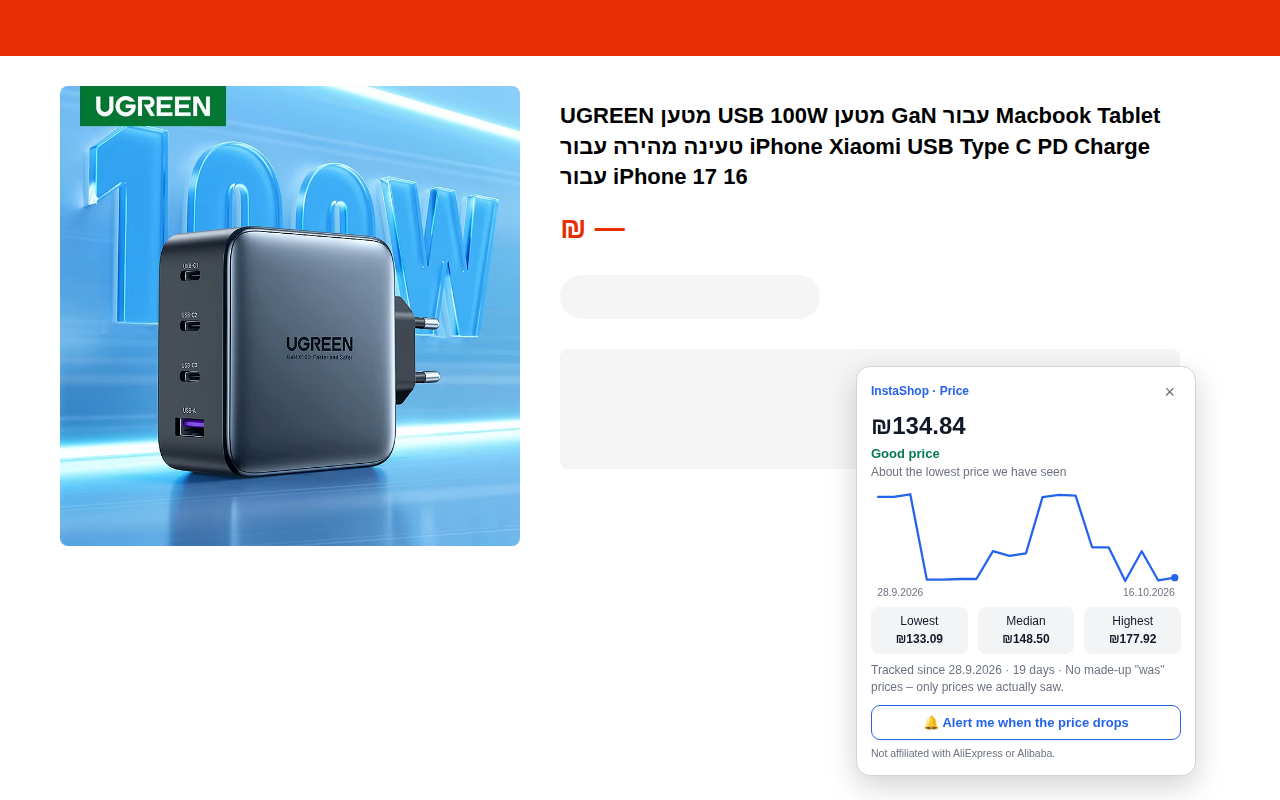
InstaShop – Price Check is a free Chrome extension that shows, right on any AliExpress product page, the product's real price history in ILS, whether today's price is good, normal or higher than usual, and sends you an alert when the price drops. No made-up "was" prices – only prices we actually recorded.
Daily prices of 9,332 catalog products from the AliExpress Affiliate API (32 tracked days since 28 Sep 2026), plus every product a user opens, which then enters daily tracking. On the page itself, the extension uses the price AliExpress shows (in ILS), so temporary sales like SuperDeals are reflected. Full method: how we track prices.
On AliExpress product pages it shows the price history in ILS, a "good / normal / higher than usual" verdict, the lowest, median and highest price seen, and lets you get an alert when the price drops.
Yes, completely free. InstaShop earns only when you click "Similar, cheaper deal" and buy – that is an affiliate link, at no extra cost to you.
Only after at least 7 tracked days. "Higher than usual" – when on at least 60% of the days the price was more than 2% lower than today. "Good price" – when today's price is within 2% of the lowest price we saw. Otherwise – "normal price".
The extension reads the price shown on the AliExpress page (in ILS), including sales such as SuperDeals. The AliExpress API that refreshes the catalog daily returns the regular price, without temporary sales or personal discounts.
The ID of the product you open, to return its price history; your watch-list product IDs every 6 hours; and the price shown on the page once a day per product ("share prices anonymously" – can be turned off). Only if you enabled the Google option – also your search words, which are not stored. No name, email or user ID. Your watch list stays in your browser.
No. It never changes links, never adds cookies and never touches other people's affiliate links. An affiliate link opens only when you click an offer yourself, and none is shown on pages you reached through someone else's affiliate link.
Google Chrome on desktop (and Chromium browsers that install from the Chrome Web Store). Chrome on mobile has no extension support – use the web price checker instead.
The extension compares the "original" price on the page with the prices we actually recorded. If we never saw that price (after at least 7 tracked days), or it is far above what similar products cost, you get a warning. Our report found that for most claimed discounts the original price was never seen.
Yes, as an optional feature from v1.2: turn it on in the extension popup, Chrome asks for access to Google, and when you search for a product a small corner card shows matching AliExpress products. Search words are not stored, and you can turn it off any time.
AliExpress inflated-discount report · How to choose a price tracker · Today's price drops · AliExpress coupons · Methodology