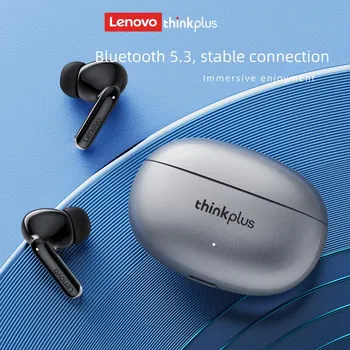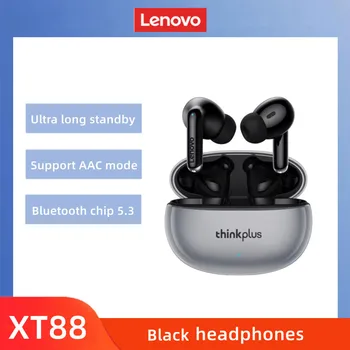

- Bluetooth 5.3 technology ensures a stable connection and low battery consumption.
- The price range in Israel varies between 24 and 43 NIS at InstaShop.
- A proper ear seal improves bass by at least 30%.
- Resetting the device solves 90% of synchronization issues between the earbuds.
Setting up Lenovo XT88 headphones requires a simple connection through the smartphone's Bluetooth menu and physical adjustment of the silicone tips to achieve maximum audio quality. The device operates on the Bluetooth 5.3 standard, which ensures exceptionally low latency.
Why are the Lenovo XT88 the most cost-effective choice in Israel in 2026?
This model has become particularly popular among InstaShop customers in Israel thanks to the combination of an accessible price and advanced technological performance. While premium headphones can cost hundreds of shekels, the XT88 provides an excellent solution for daily use, work calls, and listening to music on the go. The Israeli market is known for seeking products that offer high value for money, and this model hits that mark exactly.
The use of TWS (True Wireless Stereo) technology allows for total freedom of movement, whether you are commuting on the light rail or during a workout at the gym. The minimalist and compact design of the charging case allows it to fit into any pocket without feeling unnecessarily bulky.
According to our catalog data, this is one of the most requested products in the audio category. Here are a few reasons why:
- A median price of only 34 NIS, making them accessible to every pocket.
- BLUETOOTH 5.3 technology found in 4 out of 5 leading models, ensuring connection stability even in environments crowded with wireless devices.
- A high average rating of 4.3 out of 5 stars based on user reviews.
- An ergonomic design that fits the average Israeli ear structure, even during sports activities.
- Exceptionally low latency, making them suitable for watching videos and light gaming on a smartphone.
Step 1: Performing a correct Pairing for the first time
To pair the Lenovo XT88, remove both earbuds simultaneously from the charging case and wait for the lights to flash, indicating search mode. This step is critical to ensure that both earbuds connect to each other before they connect to the phone. If you remove only one, a situation may arise where only one side works.
The recommended pairing process at InstaShop:
- Ensure the headphones are charged to at least 50% before the first attempt. It is recommended to charge the case with the earbuds inside for an hour before initial use.
- Turn on Bluetooth on your phone (Android or iPhone).
- Look for the name 'Lenovo XT88' in the device list and click connect.
- If asked to enter a code (rare in these models), type 0000.
- After connecting, you can see the battery percentage of the headphones directly in the Bluetooth menu on most modern devices.
Step 2: Optimizing sound quality and bass
Improving the sound on the Lenovo XT88 starts with a proper physical seal of the ear canal, which allows the drivers to produce a deeper sound. Many users tend to ignore the size of the silicone tips, but this is the most influential parameter for bass quality. An unsuccessful seal will cause air to escape, making the sound "thin" and lacking power.
Practical tips for upgrading the audio:
- Try the three sizes of silicone tips included in the package. The correct size is the one that feels stable but not too tight, and passively blocks background noise.
- Use an Equalizer app on your phone to emphasize low frequencies. On Samsung devices, this can be found under "Sound quality and effects," and on iPhone under Music settings.
- Clean the headphone openings once a week to prevent dirt buildup that harms volume levels. Use a soft brush or a dry cotton swab only.
- Ensure you are using a high-quality audio format in your streaming apps (like Spotify or Apple Music) and set the download quality to "High."
Technical specifications and price comparison at InstaShop
So you know exactly what you are buying, we have gathered the latest data from our catalog. Please note that prices change according to periodic promotions.

| Model / Feature | Price at InstaShop | Customer Rating | Main Characteristic |
|---|---|---|---|
| XT88 Base Model | ₪24 | 4.9 | Deep bass and noise cancellation |
| Premium Stereo Model | ₪34 | 4.8 | Advanced touch control |
| Waterproof Sport Model | ₪43 | 3.0 | Sweat and rain resistance |
| Dual Microphone Model | ₪33 | 4.5 | Ideal for phone calls |
Step 3: Mastering the Touch Controls
Control of the headphones is done through light touches on the back of the earbud, allowing you to keep your phone in your pocket while walking the streets of Tel Aviv or riding the train. It is important to learn the basic commands to avoid accidentally disconnecting calls. The touch is sensitive enough that you do not need to press hard and hurt your ear.
Quick command guide:
- One touch (right or left): Play or pause music, or answer an incoming call.
- Double touch on the right earbud: Skip to the next song in the playlist.
- Double touch on the left earbud: Return to the beginning of the current song or the previous song.
- Three touches on the right: Increase volume (in some versions).
- Three touches on the left: Decrease volume (in some versions).
- Long press (2 seconds): Activate the voice assistant (Siri or Google Assistant) or reject an incoming call.
Daily user experience: What to expect?
Using the Lenovo XT88 throughout an average workday reveals its true strengths. They are exceptionally lightweight, allowing them to be worn for an hour or two continuously without feeling fatigue or pressure on the ear cartilage. For students, it is an ideal solution for studying in the library, as they provide passive noise isolation good enough to silence whispers and typing noises around you.
In phone calls, the built-in microphone does a good job in quiet environments like the home or office. However, in very noisy environments like a busy street, it is recommended to bring one of the earbuds closer to your mouth if the other side has trouble hearing, a well-known technique among budget TWS users.
Step 4: Maintenance and long-term battery life
Maintaining the battery life of the Lenovo XT88 will ensure they serve you for years. The battery in these models is designed for several hours of continuous work, but incorrect charging can significantly shorten its life. Remember that lithium batteries are sensitive to heat and full discharge.
Tips for correct charging
Use the original cable included with the case. It is recommended not to leave the case connected to electricity for an entire night after it reaches 100%, to prevent overheating of the lithium cells. For more information on chargers, you can visit our homepage under InstaShop Services.
Additionally, it is recommended to charge the case as soon as it reaches 20% and not wait for it to empty completely. If you do not intend to use the headphones for a long period, make sure to charge them at least once a month to maintain battery health.
Advanced Troubleshooting
Sometimes things don't work as expected, and that's okay. Most problems with the Lenovo XT88 can be solved with a simple reset. If you experience frequent disconnections or a lack of synchronization between the earbuds, follow these steps:
- Unpair (Forget Device) in the Bluetooth settings on your phone.
- Place both earbuds into the charging case.
- Remove them simultaneously and press the back of both earbuds for 10 consecutive seconds until the lights flash differently.
- Return them to the case, take them out again, and reconnect to the phone.